
How to Get the Best AI Video Face Swap Results: 7 Pro Tips
Want your AI face swaps to be completely undetectable? It's not just about the tool — it's about the inputs. This guide covers 7 proven techniques that separate amateur face swaps from professional-quality results.
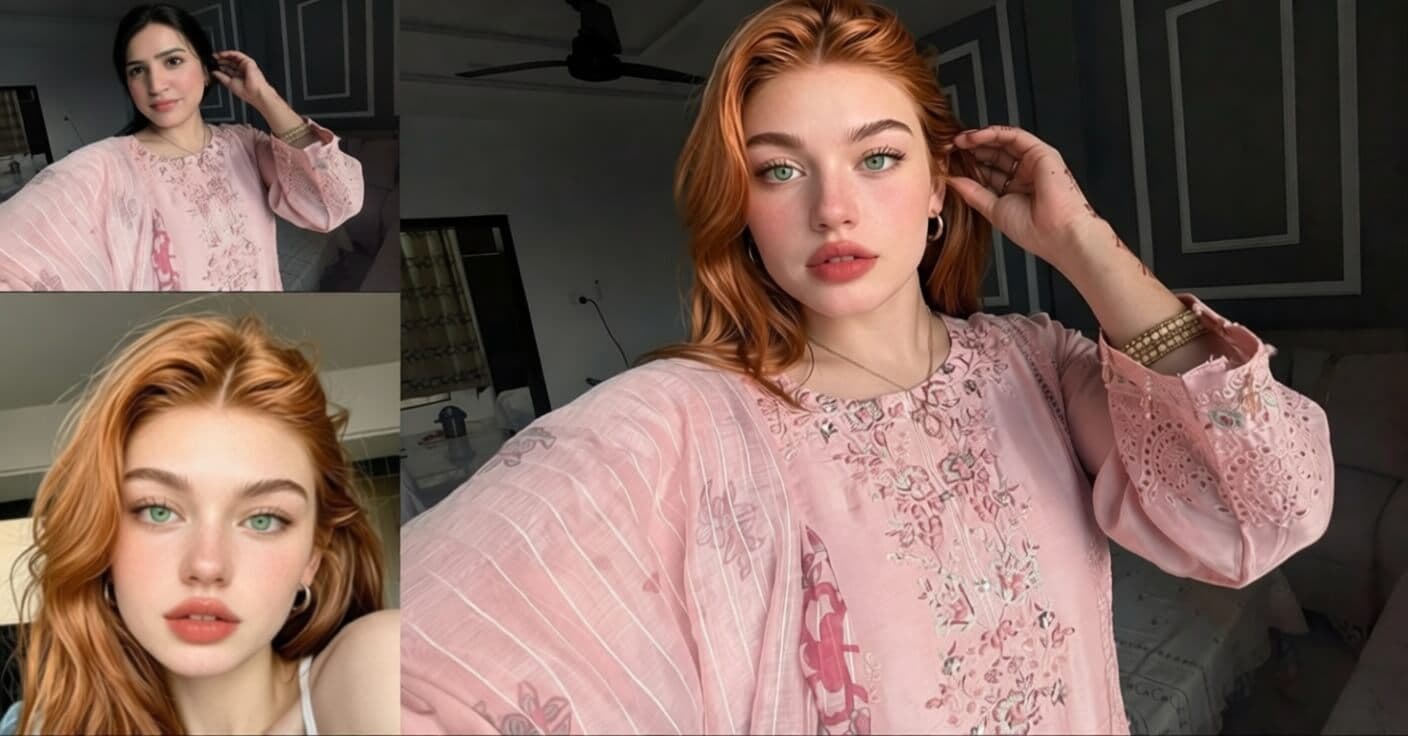
Why Video Face Swap? Popular Use Cases
AI video face swap has moved far beyond novelty. Here are the most popular real-world use cases:
Content Creation
YouTubers and TikTokers create comedy skits, reaction videos, and parodies by swapping faces.
AI Video Correction
AI-generated videos often produce the wrong face. Face swap lets you fix it with the exact face you need.
Marketing & Ads
Brands localize ad campaigns by swapping talent faces for different regional markets.
Personal Fun
Put your face into movie scenes, music videos, or memes and share with friends.
Regardless of your use case, the quality of your result depends on how well you prepare your inputs. Let's go through each tip.
Match Skin Tone and Ethnicity
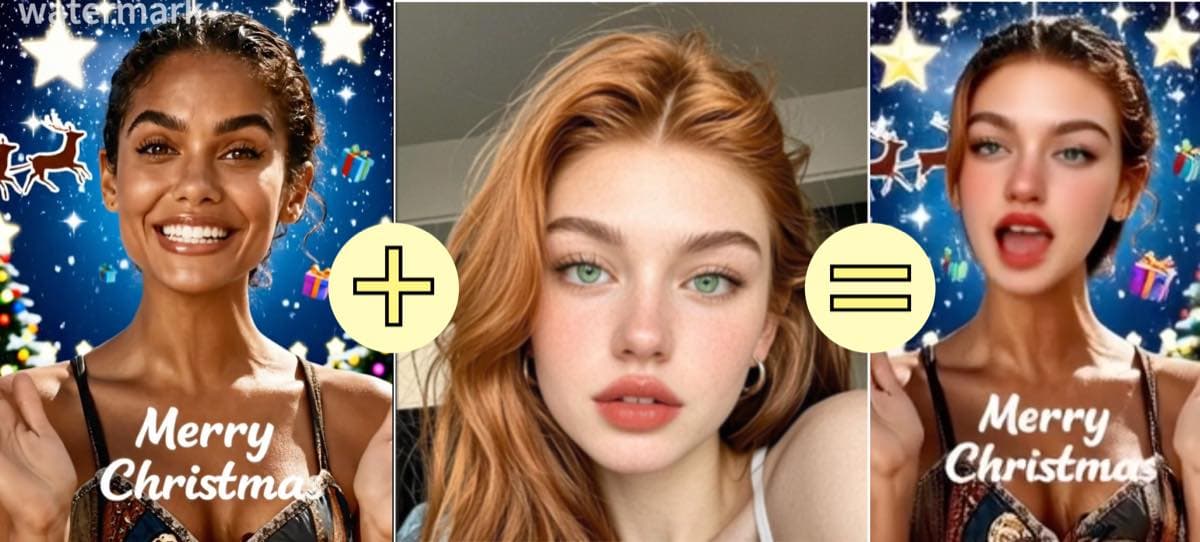
The single biggest factor in face swap quality is skin tone matching. AI face swap technology blends a new face onto an existing head and neck. When there's a significant skin tone difference, the seam between the face and body becomes visible — no matter how advanced the AI.
Pro tip:
For best results, swap between people of the same ethnicity and similar complexion. The AI can handle minor skin tone variations, but large differences (e.g., very fair to very dark skin) will always produce visible artifacts at the face-neck boundary.
Match Lighting and Environment
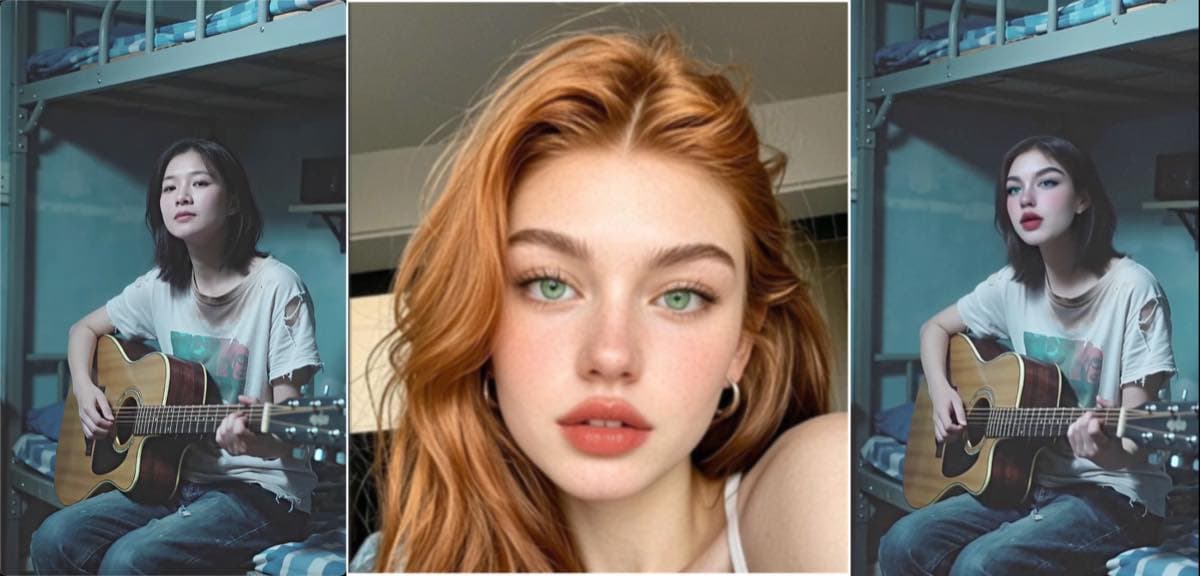
Light tells our brain whether something looks "real." When the face photo and source video have drastically different lighting, the result feels wrong even if the face geometry is perfect.
Pro tip:
Before swapping, compare your face photo and video side by side. Ask: "Is the light coming from the same direction? Is the overall brightness similar? Is one indoor and the other outdoor?" The closer these match, the better your result. Ideal face photos use soft, even, natural light — no flash, no harsh shadows.
Match Makeup and Styling Level
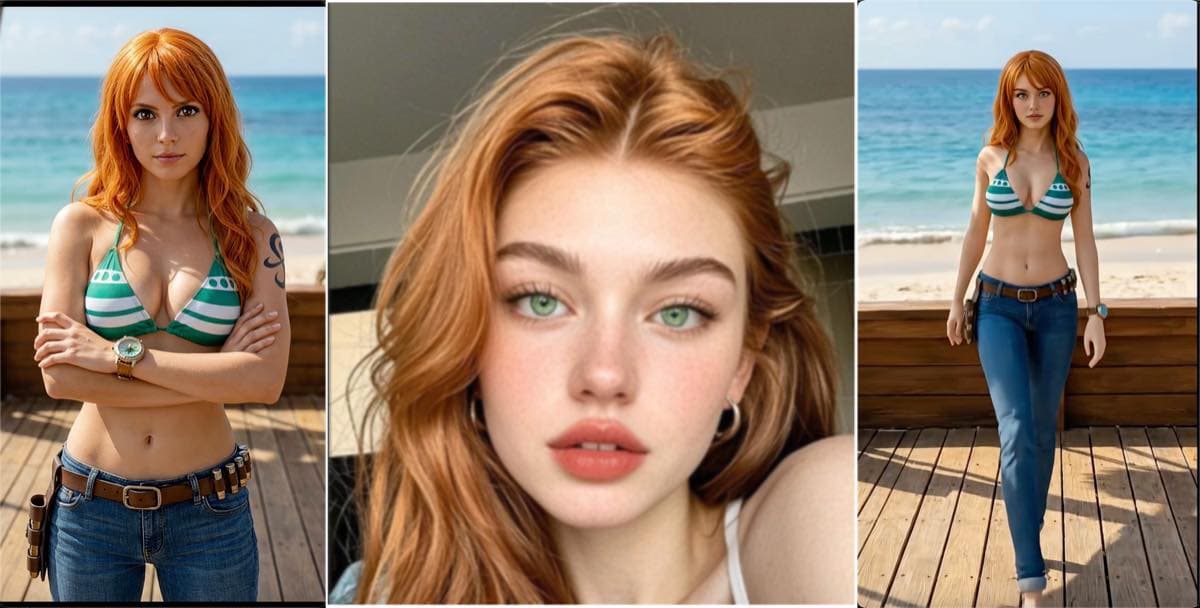
Makeup is "baked into" the face photo. The AI doesn't remove makeup before swapping — it transfers it as-is. If your face photo has bold red lipstick and dramatic contouring, but the video shows a casual, no-makeup look, the contrast will be jarring and immediately obvious.
Pro tip:
Match the vibe. Casual video? Use a casual, natural face photo. Glamorous music video? Go ahead with the glam shot. The key is that the makeup level should feel "expected" in the context of the video. Prepare multiple face photos with different makeup levels for different projects.
Choose Videos with Moderate Head Motion
AI face swap tracks facial landmarks across frames. When the head moves slowly and predictably, tracking is accurate and the result is smooth. When the head whips around or moves erratically, tracking errors accumulate and the face flickers or slides.
Pro tip:
Best video types for face swap: talking-head content, interviews, dialogue scenes, vlogs, and slow-paced music videos. Avoid: fast dance sequences, sports, action scenes with quick head turns. If your video has both calm and fast sections, trim to just the calm parts before swapping.
Video speed guide:
Best
Talking head, interview, vlog
OK
Walking, gentle gestures
Avoid
Dancing, sports, action
Swap Within the Same Gender
Male and female faces have fundamentally different bone structures. Men typically have wider jaws, more prominent brow ridges, and thicker necks. Women have softer jawlines, higher cheekbones, and different facial proportions. The AI can swap the face texture and features, but it can't reshape the skull underneath.
Pro tip:
Always swap male-to-male or female-to-female. Cross-gender swaps create a result that looks like neither gender — a visual "uncanny valley" that viewers immediately sense as artificial. This is one of the hardest limitations to overcome with current AI technology.
Use a Front-Facing, High-Quality Face Photo
The quality of your face photo directly determines the quality of your result. A blurry selfie, a heavily filtered Instagram photo, or a side-profile shot will all produce subpar swaps. The AI needs clear, detailed facial features to work with.
Pro tip:
The ideal face photo is: front-facing (looking at camera), well-lit with even light, high resolution (at least 512x512), no sunglasses or heavy shadows, neutral or slight smile expression, and no heavy filters or beauty mode. Think passport photo quality — clear, sharp, and unobstructed.
Pick the Right Tool for the Job
Not all face swap tools are created equal. Some are optimized for speed, others for quality, and some handle certain video types better than others. Using the right tool for your specific use case makes a significant difference.
- Video, photo, and GIF face swap
- Free credits on signup
- No watermark on output
- Browser-based, no download
- Advanced video face swap
- Higher resolution support
- Video enhancement features
- Longer video support
Pro tip:
Try both tools with the same inputs. Different AI models handle different face shapes, angles, and skin types with varying success. The tool that produces the best result for one face may not be the best for another. Having two options doubles your chances of getting a perfect swap.
Your Pre-Swap Checklist
- Face photo and video person have similar skin tone
- Lighting direction and brightness are similar
- Makeup / styling level matches the video context
- Video has moderate head motion (no rapid turns)
- Face and body are the same gender
- Face photo is front-facing, high-res, well-lit
- No sunglasses, heavy shadows, or beauty filters on face photo
Put These Tips Into Action
The best way to learn is by doing. Try a face swap now with these tips in mind — free credits included, no credit card needed.
Related Guide
5 Video Face Swap Mistakes That Ruin Your Results
Learn the common pitfalls and how to avoid them.